> For the complete documentation index, see [llms.txt](https://guide.smarttask.io/llms.txt). Markdown versions of documentation pages are available by appending `.md` to page URLs; this page is available as [Markdown](https://guide.smarttask.io/fundamentals/time-tracking/show-time-fields-by-default.md).
# Show Time fields by default
### **Enabling Time Tracking fields everywhere**
Go to Workspace Settings
* Click on your profile icon in the bottom-left corner.
* Select **Workspace Settings**.
* Enable
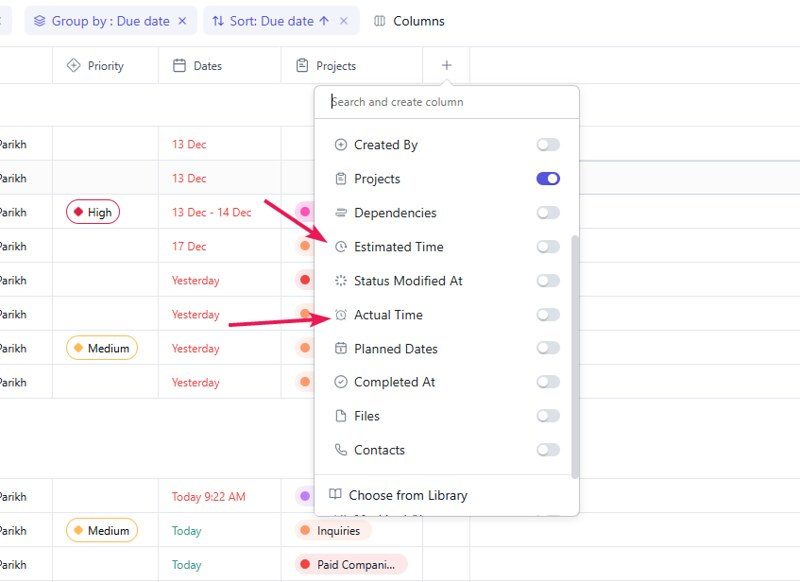
### Enable Time Tracking fields in Projects
Go to the project
* Click on the **Columns** button in the same line as **Add Task** button
* Enable both **Estimated Time** and **Actual Time** columns