> For the complete documentation index, see [llms.txt](https://guide.smarttask.io/llms.txt). Markdown versions of documentation pages are available by appending `.md` to page URLs; this page is available as [Markdown](https://guide.smarttask.io/master.md).
# Getting Started
Welcome! SmartTask is the easiest way for you and your team to achieve great results. This quick start article would help you learn basics.
## What is SmartTask?
**SmartTask** is an **all-in-one work management and collaboration tool** designed to help teams and businesses **manage tasks, projects, sales, and customer relationships** efficiently. It combines project management, team communication, time tracking, and workflow automation in a single platform.
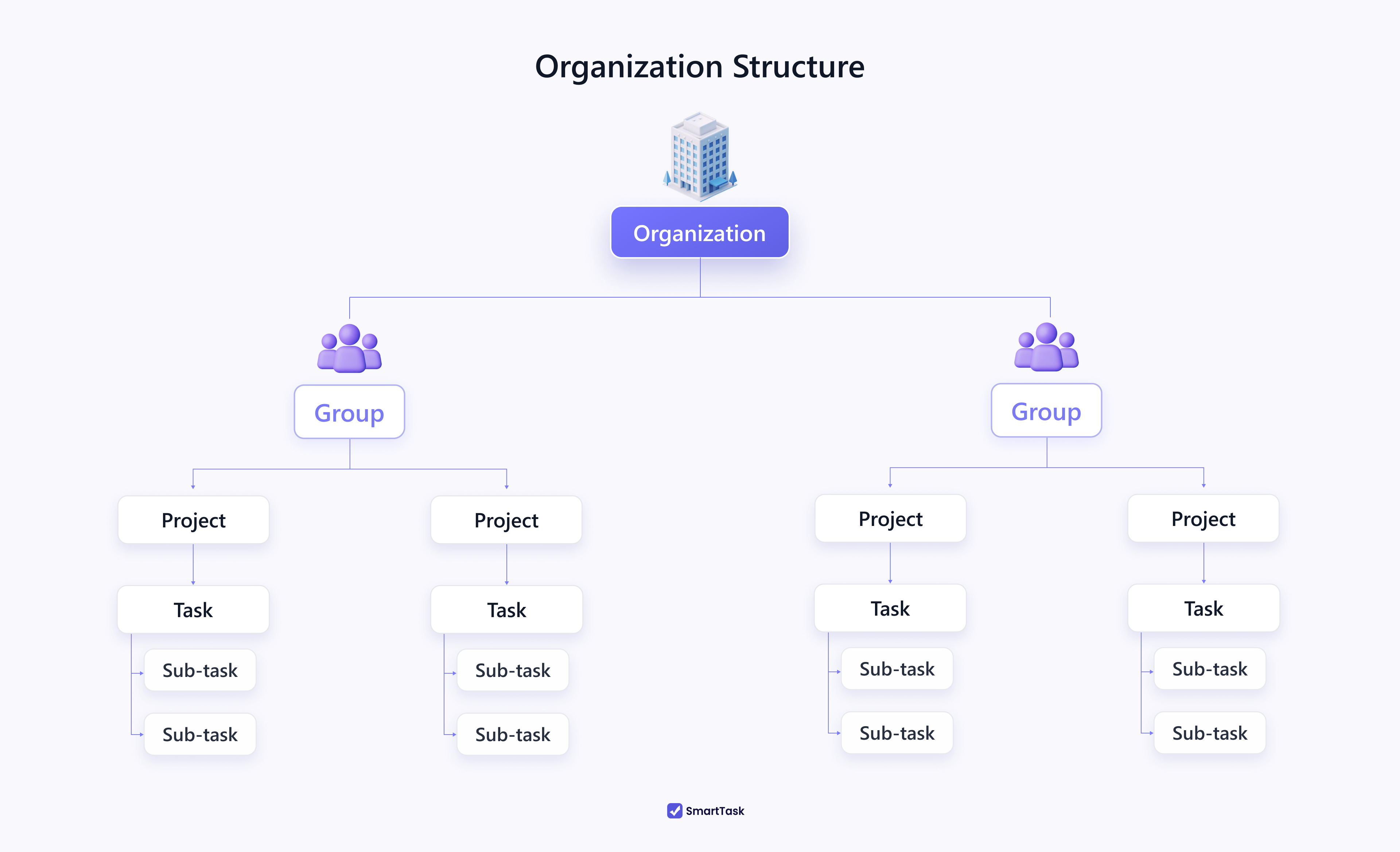
**Organization:** is the highest level of the hierarchy. This gets further classified into groups/ departments , projects and members of the projects.
**Groups:** Groups can be equated to the various departments in an organization. Example : Human Resources, Technical, Finance , IT and the like
**Projects:** Projects is at the lowest level of this structure which are part of one or more groups depending on their nature. Example : Chandrayaan Mission, A new Marketing Campaign, etc.
## What can you do with SmartTask?
✅ **Task & Project Management** – Assign tasks, set deadlines, priorities, and track progress with Kanban, List, and Timeline views.
✅ **Collaboration & Communication** – Chat, comment, and share files directly within tasks to keep conversations organized.
✅ **Portfolios for High-Level Project Management** – Monitor multiple projects under a single portfolio, track progress, and get a bird’s-eye view of overall performance.
✅ **Workflow Automation** – Automate repetitive tasks, set dependencies, and create recurring tasks to streamline processes.
✅ **Time Tracking & Reporting** – Track time spent on tasks, generate reports, and analyze productivity.
✅ **CRM & Sales Tracking** – Manage leads, deals, and client interactions to boost sales efficiency.
✅ **Custom Dashboards & Analytics** – Get real-time insights into project progress and team performance.
✅ **Integrations** – Connect with tools like Slack, Zapier, and Google Drive to enhance workflow.
*and much more.*
## Getting Started with SmartTask
{% embed url="" %}